How to Add a Van/Mechanic to Dispatch
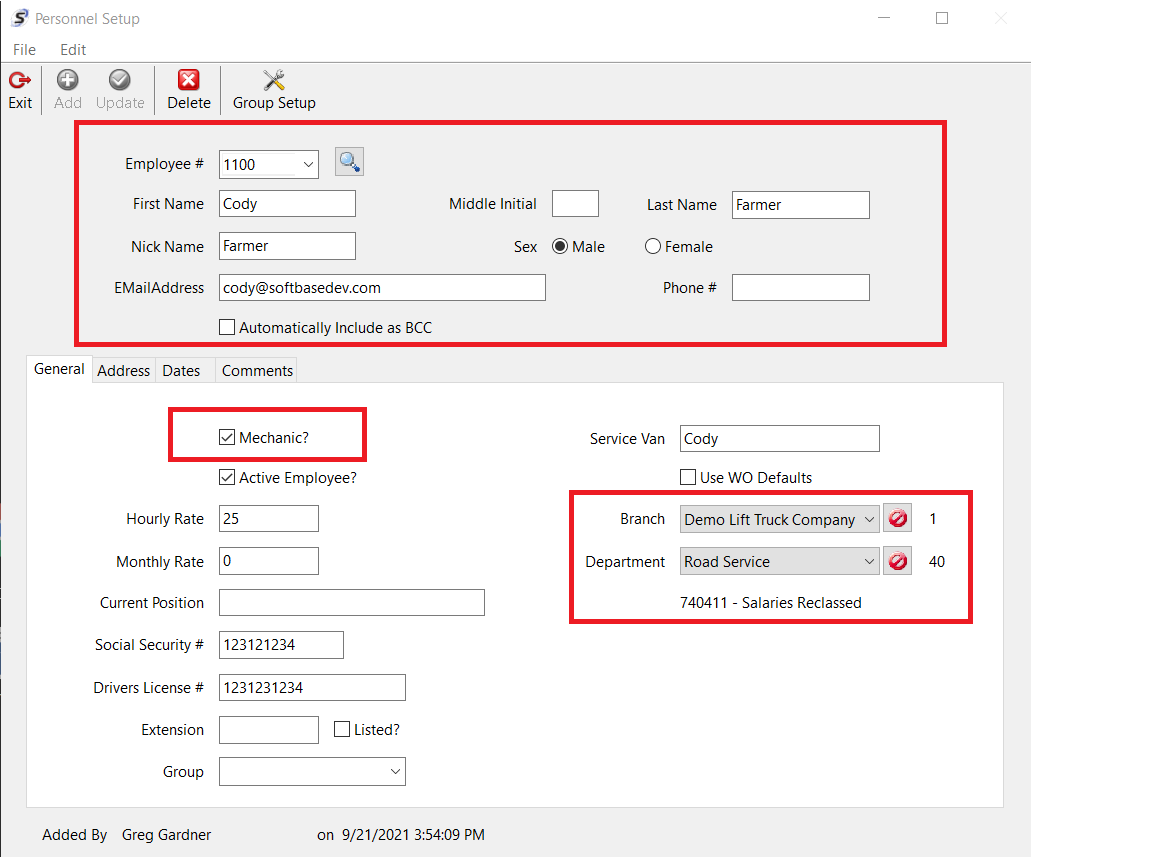
Personnel Setup Window
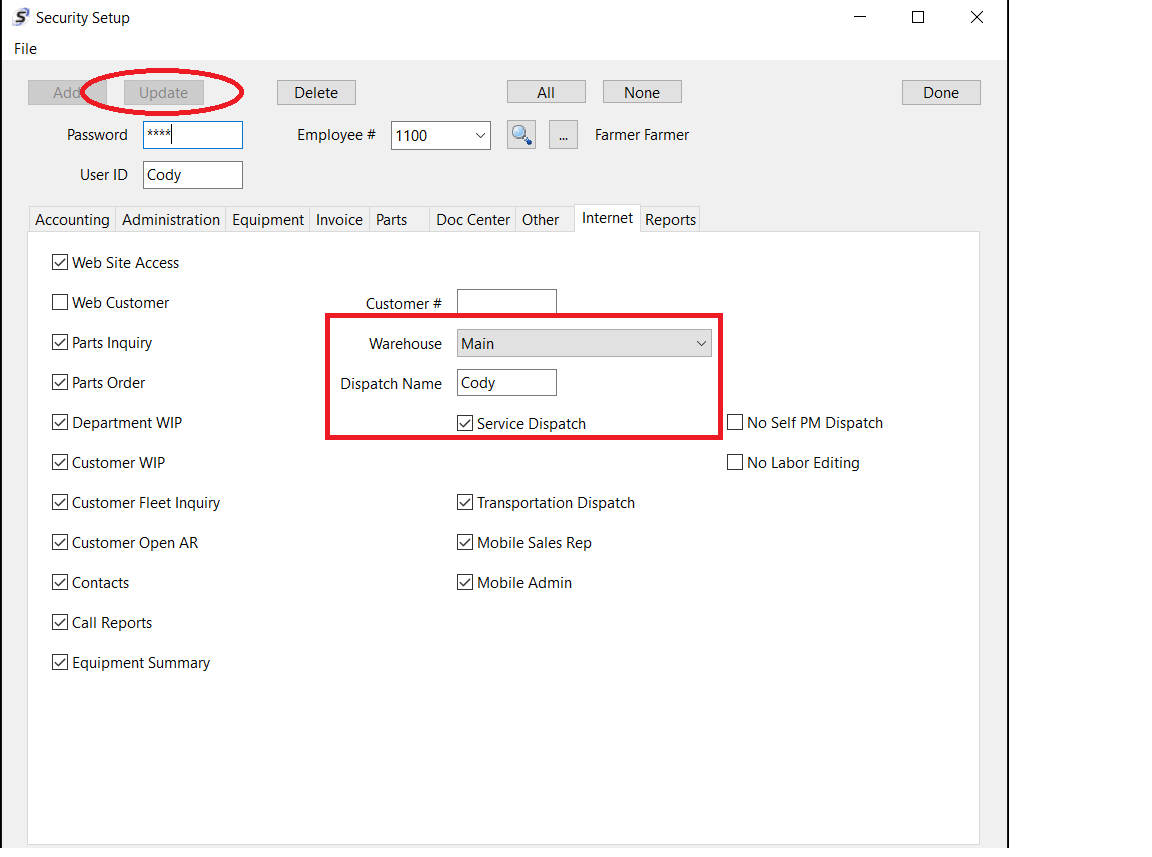
Security Setup Window
1. Go back in the main menu, under the "Administration" tab, go to the option called "Security".
2. Now you should be In the Security Setup window. Input the required employee credentials at the top of the window. Either enter the users Password to pull it up or select the Employee Number in the Employee # field using the drop down or magnifying glass to search for the user.
3. From here, go to the "Internet" tab. You will see and check the checkbox called "Service Dispatch".
4. The tech needs to have his or her warehouse assigned as well that they will pull parts from.
5. Click "Update" at the top.
Your mechanic should now be set up and can be used in Softbase Mobile as well.
Was this article helpful?
That’s Great!
Thank you for your feedback
Sorry! We couldn't be helpful
Thank you for your feedback
Feedback sent
We appreciate your effort and will try to fix the article