Softbase allows users to either default all invoices to the current date when closing, or it allows users to select the date to close an invoice under.
This setting is found under Company in the Administration section of the Softbase menu, located on the Invoicing tab.
If "Automatic Invoice Date" is checked, the system will automatically close all invoices with the date it was closed as the invoice date. If it is unchecked, a pop-up box will present when closing the document and users can select the date to close the work order under.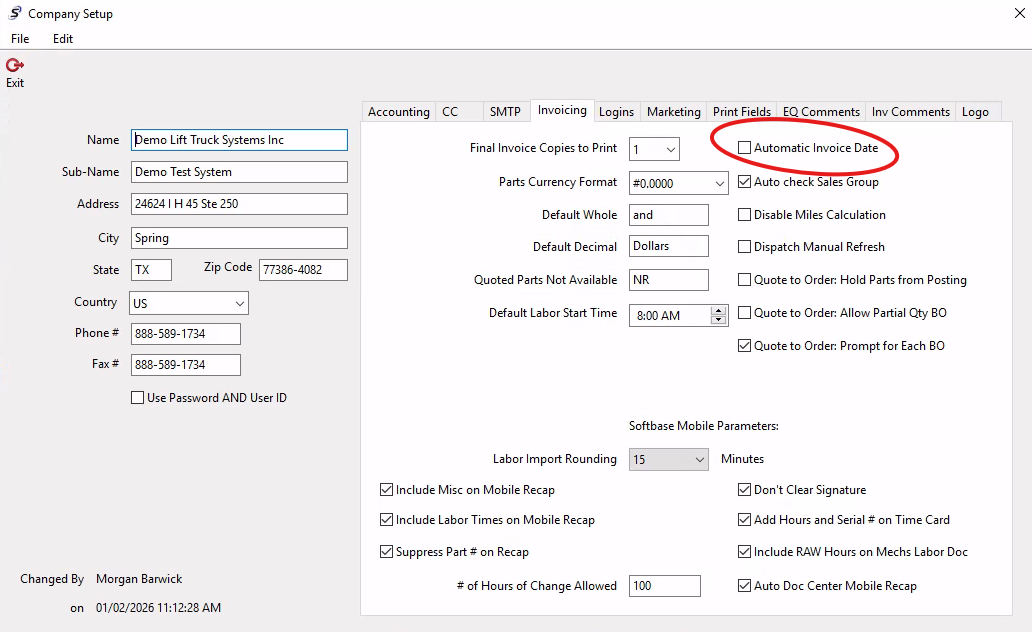
Was this article helpful?
That’s Great!
Thank you for your feedback
Sorry! We couldn't be helpful
Thank you for your feedback
Feedback sent
We appreciate your effort and will try to fix the article