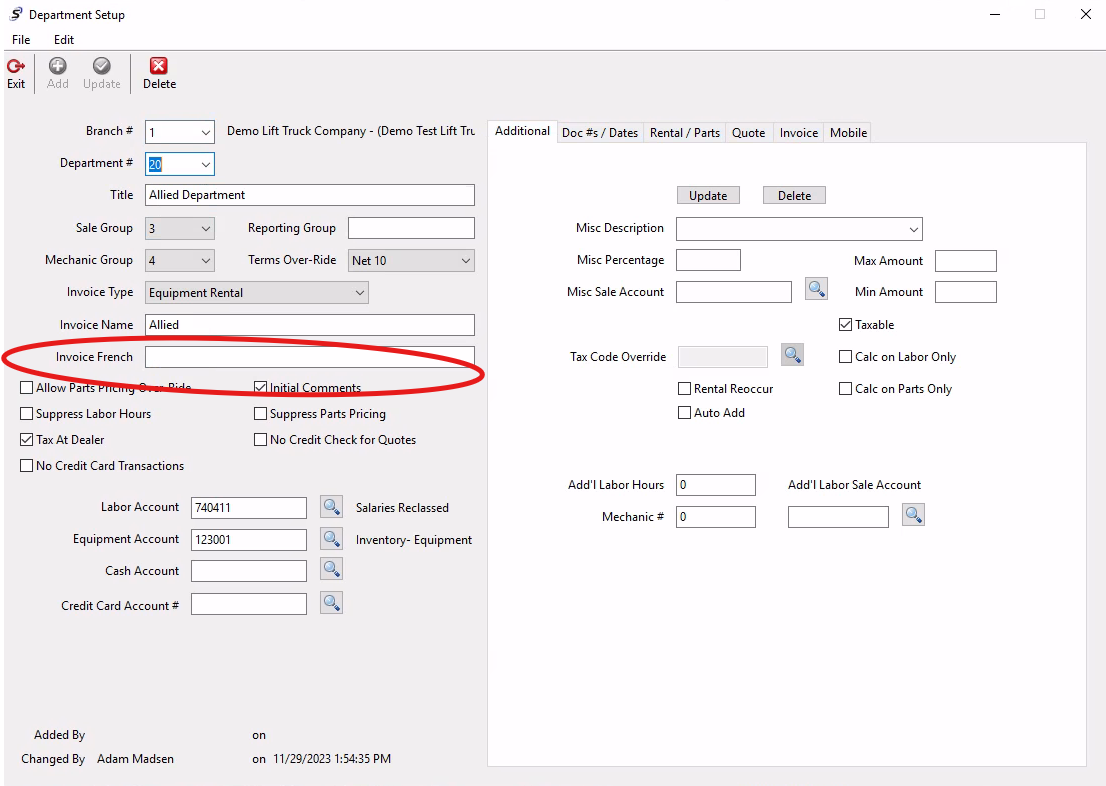
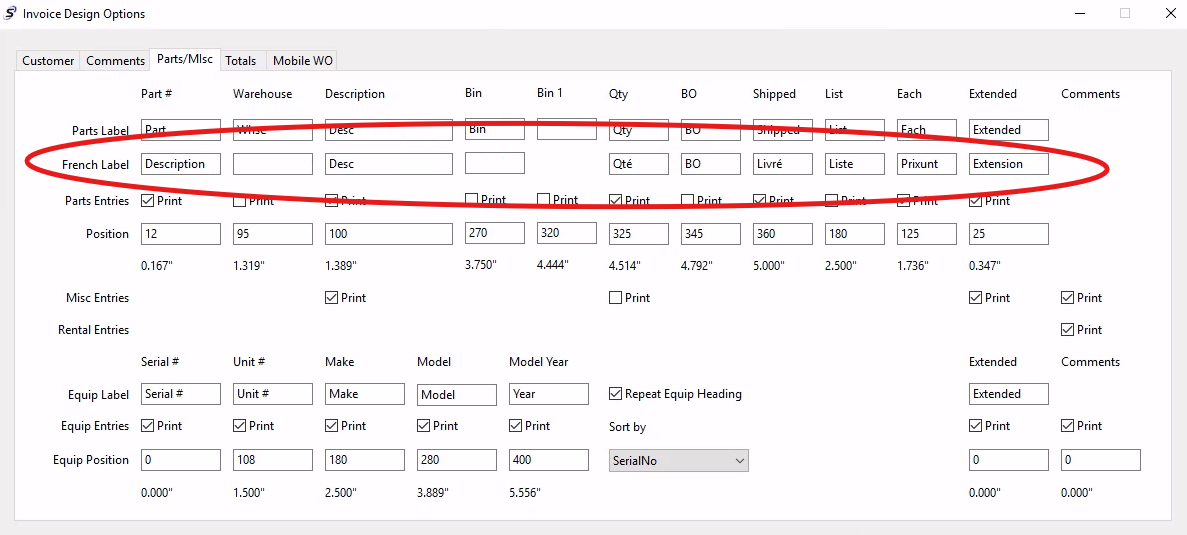
You can set the invoice to display in French for available fields by customer in Softbase. You can designate the French verbiage to be used on the invoice within the department setup (screenshot below) and within the invoice design options (also below).
The system will generate the invoice using the specified French verbiage or English based on the customer record and how they are set. This is under the Web/Email tab of the customer record and you would want to specify the invoice language to use for the customer (select French and update to set).
**This is not all-encompassing and some of the fields are available only in one language at this time, but there are several labels and fields that can display with French terms for your customers as needed.
Was this article helpful?
That’s Great!
Thank you for your feedback
Sorry! We couldn't be helpful
Thank you for your feedback
Feedback sent
We appreciate your effort and will try to fix the article