Overview
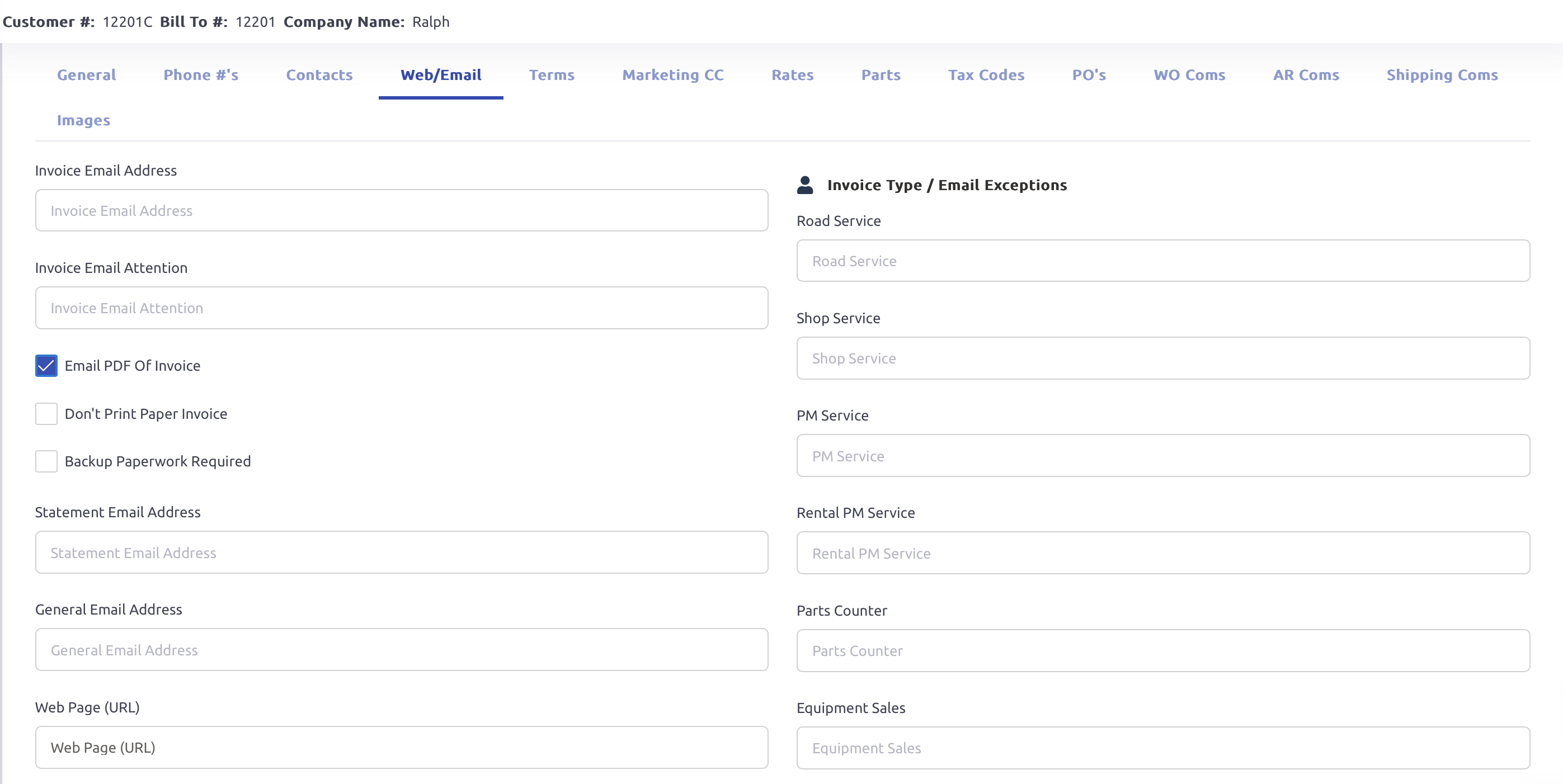
The Web/Email tab in Customer Setup allows users to configure email preferences for invoices, statements, and general communication. This tab ensures that invoices and other documents are sent to the correct recipients based on customer-specific settings.
Key Fields and Settings
Invoice Email Settings
Invoice Email Address: Enter the primary email where invoices should be sent.
Invoice Email Attention: Used for specifying a contact or department within the customer’s organization.
Email PDF of Invoice: When enabled in the Print Final Invoices program, invoices for this customer will be automatically emailed, provided an email address is set up on the customer record.
Don't Print Paper Invoice: If selected, invoices for this customer will not be generated as PDF documents when the Print Final Invoices program is run.
Backup Paperwork Required: When enabled any documents set to be included with the invoice will be attached to the customer invoice.
Statement, General, and Web Page Settings
Statement Email Address: Specify where customer account statements should be sent if different from the invoice email address.
General Email Address: Used for general customer communication.
Invoice Type-Specific Email Addresses
This section allows users to assign custom email addresses for invoices based on the invoice type. For example, if a customer has a designated email that they want all PM invoices to go to, enter it under PM Service to override the main Invoice Email Address.
Was this article helpful?
That’s Great!
Thank you for your feedback
Sorry! We couldn't be helpful
Thank you for your feedback
Feedback sent
We appreciate your effort and will try to fix the article